

Blog
Logic Pro vs FL Studio vs Ableton – Which Should I Choose?
10 May '2026
Discover how these top three DAW packages compare across a number of vital categories
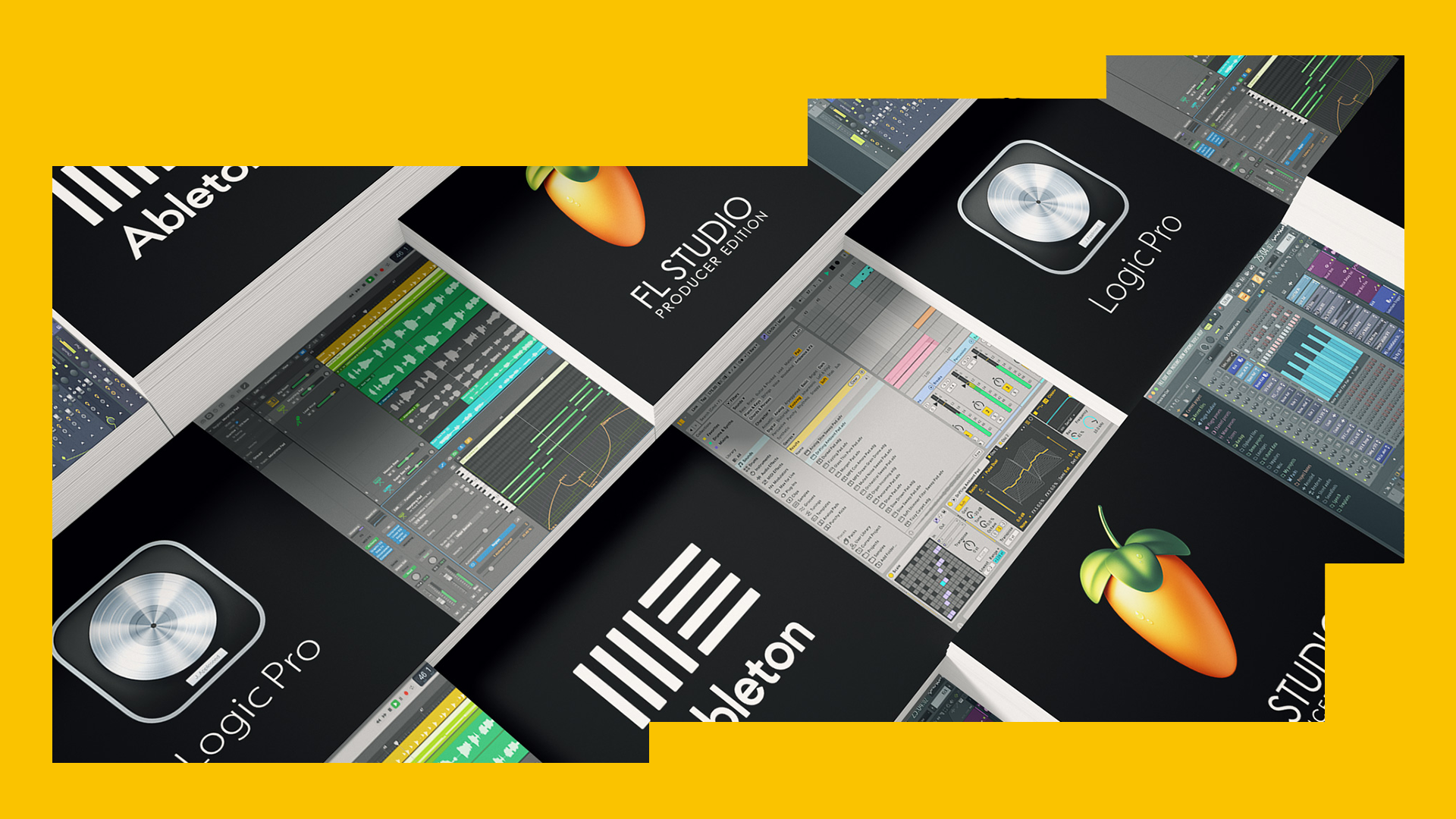
There are a lot of DAWs out there, but over the years, three have become crystallised as the industry leaders for electronic music production. While there are strong alternatives and good contenders in certain niches, the overwhelming majority of producers work in either Ableton Live, Apple Logic Pro X, or Image-Line FL Studio.
While this article might not be about how to sculpt the best basslines or program better beats, the decision of which DAW to use will follow you for years, and could influence your music making decisions too. It’s worth spending some time getting it right, then. When you’re ready to invest more time in saving time on your DAW in the future, come back to check out 9 Workflow Tips to Help you Produce More Tracks and our guide to help you Finish Tracks Faster.
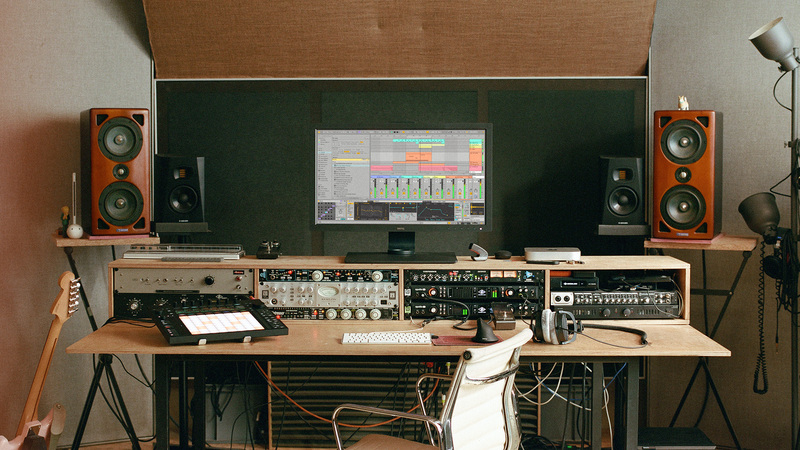
Of course, the crucial question is: which DAW is right for you? In this article, we’ll compare the three top DAWs across several dimensions, helping you narrow it down and choose based on the factors that matter most to you.
Which DAW comes with the best instruments?
It’s possible to make music using only samples – we should know, with our 4-million-strong collection of samples available via Loopcloud – but even we love a great virtual instrument. Software instruments include synths, virtual pianos, drums and drum machines, and many more. And, every DAW comes with its unique collection of instruments to use at no extra cost.
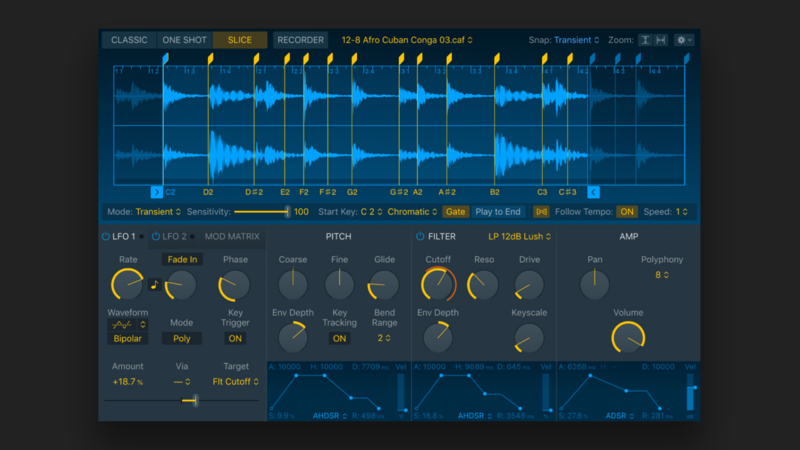
Logic Pro comes with a broad and modernised collection of native software instruments. Alongside staples like Drum Kit Designer and Retro Synth, newer additions such as Sampler (which replaced EXS24), Quick Sampler, and enhancements to Alchemy have significantly expanded its sound design potential. Its library remains one of the most comprehensive out-of-the-box, covering everything from realistic instruments to experimental synthesis.
FL Studio is available to purchase in four different editions, with most of its noteworthy instruments appearing in its most expensive, All-Plugins Edition. These instruments include synths like Harmor, Morphine, Ogun, Sawer, and Sakura, alongside newer and continually updated tools like FLEX, which has grown into a central preset-based instrument with frequent content expansions
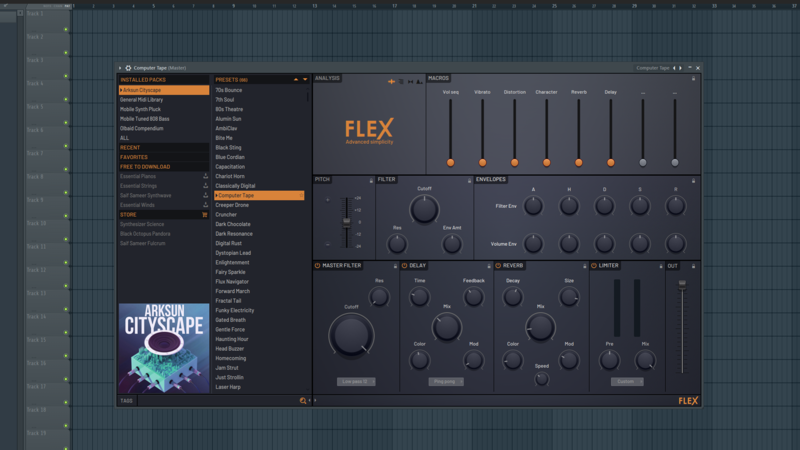
FL Studio still retains some worthy mentions that are available across all editions though, including FLEX, 3x Osc, GMS, Fruity Granulizer, and Plucked!
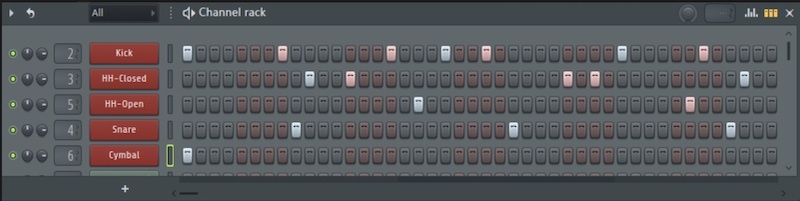
One thing that makes FL stand out is its unique sampler capabilities. Its Channel Sampler and Channel Rack allow for all of its native sampling tools to be accessed intuitively, and producers who use FL Studio often talk of its extremely swift sequencing. Recent updates have continued refining its workflow and browser integration, making sound selection faster than ever.
Ableton Live offers a diverse selection of stock instruments, including synths, samplers, and drum machines. Live's instruments are known for their versatility and are popular among electronic music producers for doing what they say on the tin. Devices like Operator, Wavetable, Sampler, and Drum Rack remain staples, while newer additions in Live 12—such as Meld, Roar, and Granulator III—expand its sound design capabilities into more experimental territory.
Which DAW has the most effects?
Effect plugins are a huge part of music production, responsible for all of our mixing and mastering needs. With that being said, they might be responsible for swaying your decision on what DAW to choose.
Logic Pro comes with a wide variety of effects plugins, with its mighty stock Compressor, Multipressor, and EQ providing you with pretty much everything you need for equalising and dynamic control. It continues to stand out for its high-quality reverbs, delays, and spatial processing tools, including more recent additions like improved immersive audio and spatial mixing capabilities.
FL Studio comes with a version of basically all the stock effects plugins you could possibly need. You’ll find a Fruity version of any effect you can think of. Need an EQ? Try Fruity Parametric EQ 2. What about a compressor? Or Reverb? Then you’ve got Fruity Compressor, and Fruity Reverb of course!
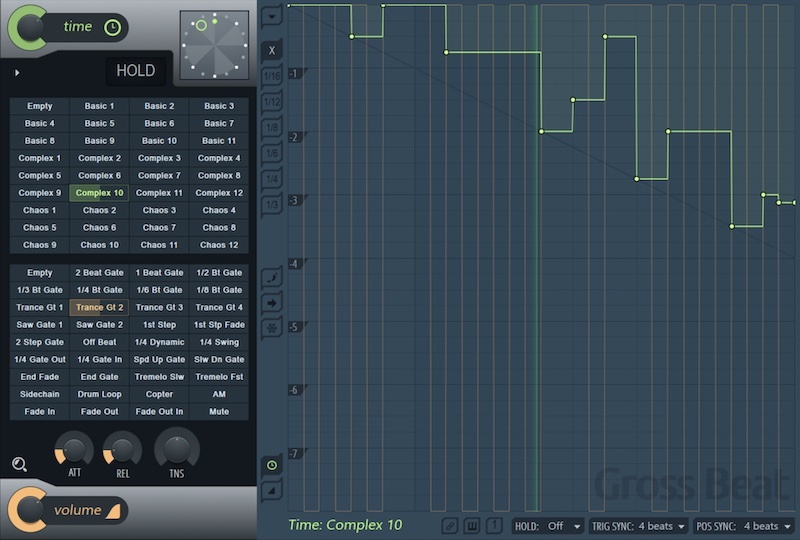
Fortunately, most of FL’s stock plugins are available across all editions, except for Gross Beat, Hardcore, LuxeVerb, Pitch Shifter, and a few more only available in the higher tiers. Gross Beat is a fan-favoured stock plugin of FL, making a lot of non-FL users jealous. Effects like those mentioned remain standout creative tools, and newer additions and updates have improved the overall quality of FL’s mixing suite.
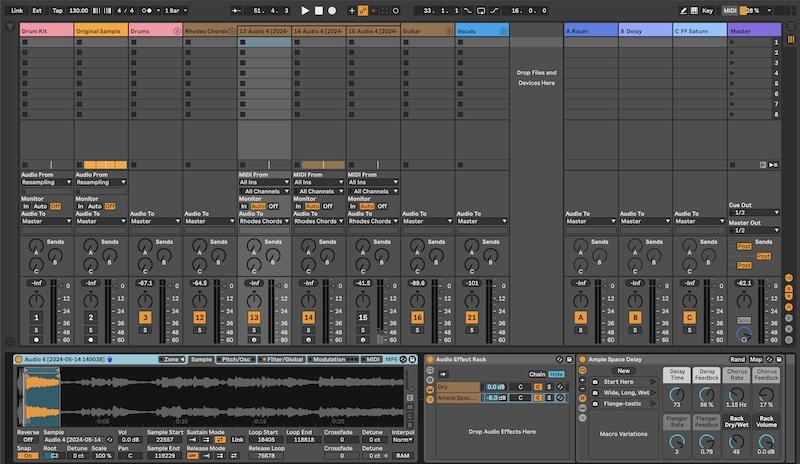
Don’t let Ableton's minimal design fool you, there's some advanced processing going on under the hood of their stock plugins. Ableton's effects are trusted by many top producers to deliver the goods in the studio. You can design your own unique combinations of instruments and effects, and use up to 16 Macro knobs to control any number of parameters. Find settings you like and save them as Macro snapshots for instant recall, all without having to open any external windows, it's easy to to play with and fine-tuning your settings neatly.
Live 12 also introduced new creative effects like Roar, alongside workflow improvements such as more flexible modulation and Macro Variations, making it easier to build and control complex effect chains.
Which DAW is best for creativity and arrangement?
All three DAWs can achieve the same results, they just have different workflows. FL Studio’s Channel Rack gives it a superior cooking-up-beats-on-the-fly functionality, allowing producers to get their creative juices pumping in minimal time. Ongoing updates to its Playlist and audio editing have also made it more flexible for full song arrangement than in earlier versions.
Logic Pro’s abundance of included Apple Loops in its easy-to-navigate sound library make it a friendly starting point for most Mac users. You can achieve high-quality results with a fairly flat learning curve, before venturing into more advanced tools like Live Loops, Step Sequencer, and advanced MIDI editing.
Ableton Live is a cut above for creativity, though. Its Session View has a fun and intuitive workflow. Using it to launch clips in time with the beat enables users to quickly piece together ideas without committing to a structure. Live 12 builds on this with improved MIDI tools, scale awareness, and generative features that make experimentation even faster.
Which DAW is best for playing live?
Ableton Live Ableton Live is the go-to DAW for live functionality (hence the name). This is what makes Ableton stand apart from all other DAWs. FL Studio and Logic Pro have both introduced improvements to performance workflows over time, but they are still primarily designed for studio production.
Ableton, however, remains a hub for live performance. If you’re interested in live looping, playback tracks, real-time effects processing, DJing, or clip launching, this is the DAW to check out. Its tight integration with hardware and stable performance environment continues to make it the industry standard for live electronic performance.
In the video below, you'll see a stirring performance and learn how Wally aka Gotye uses Ableton Live as the central hub of sounds and samples for his live performances. Having used Ableton to compose and arrange his album, the Belgian-Australian artist now trusts Live to help him take his music to the stage.
Which DAW has the best hardware integration?
When it comes to hardware integration, Ableton Live probably once again takes the cake due to its deep integration with Ableton Push (including standalone capabilities in newer generations), and third-party options like Novation’s Launchpad. These are designed for hands-on control of Live’s workflow.
Logic Pro and FL Studio both support a wide range of MIDI controllers and have improved their control surface support over time, but neither offers the same tightly integrated ecosystem as Ableton’s dedicated hardware.
In the video below we can see Porter Robinson utilising the power of Ableton, triggering sounds with his Push 2, manipulating his vocals with an array of external and internal effects, or simply tickling the ivories of his electric piano.
Which DAW has the steepest learning curve?
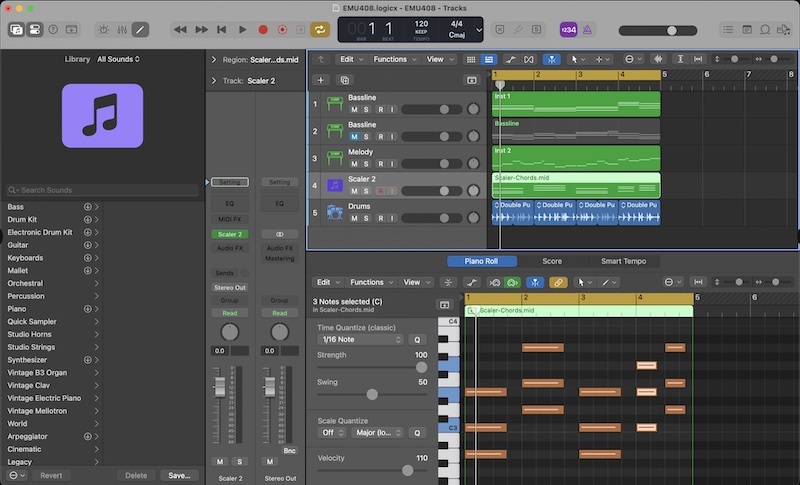
Logic Pro is probably the most beginner-friendly DAW, due to it containing lots of features that newbies will find easy to navigate. Its overall interface and mixer function more traditionally, when compared to FL Studio and Ableton Live. Both of those DAWs take a unique approach in their design, with FL’s unique Channel Sampler, and Ableton’s Live view.
Due to FL Studio’s unique Channel Rack, and having to link channels to mixer tracks manually, it can be difficult for users who have prior knowledge and expectations about how audio signals flow, however, if you’re a complete beginner, this won’t make much difference to you.
Live can be quite an adjustment, especially for users coming from more traditional DAWs. However, once you understand its Session View and workflow philosophy, it becomes one of the fastest environments for idea generation and creative experimentation.
Which DAW is best for recording?
All three DAWs—Ableton Live, Logic Pro, and FL Studio—can record MIDI input via an external MIDI controller or your computer keyboard. With an audio interface, XLR microphone recording is also possible. While their recording capabilities are similar, Ableton’s Live mode allows for the bonus feature of intuitive live track recording.
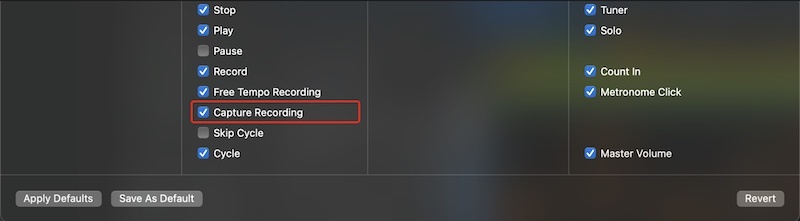
Most DAWs implement some form of retrospective recording that saves MIDI takes played during practice takes, even if recording wasn’t enabled. This allows you to print them onto your piano roll afterward. Logic Pro’s retrospective recording feature is called Capture Recording, and with a neat Quick Punch-In trick, Logic is the only DAW that also enables background recording of microphone inputs, providing the same security for vocal and external instrument takes.
FL Studio also has a unique retrospective recording feature called Score Log, which background captures up to the previous 30 MIDI takes. Unlike Logic, it cannot do this with microphone inputs.
Ableton Live enables recording (including multitrack recording) through any given connected audio input device, as would any other DAW, but doesn’t come equipped with a raft of specialist recording features. If you’re setting up a studio for regular recording, Live won’t hurt as a choice, but other DAWs may do more to help. For recording keyboard and pad performances, Live does have MIDI Capture which allows you to retrieve the material you’ve just played on those tracks.
Which DAW is best for beginners?
To crown one of these DAWs as an overall ‘best’ for beginners isn’t exactly fair. There isn’t a one-size-fits-all answer to this question, because it really depends on personal circumstances. What are your individual needs and expectations? What are you hoping to achieve with your DAW? What type of regular workflow are you expecting?
If you’re not too worried about the long game and want to get into the basics of music production ASAP, perhaps Logic is the best DAW for you. However, if you’re planning on regularly performing live, or prefer to record your music by playing it live, Ableton Live would be a better long-term investment. If you’re a hip-hop/trap/drill producer who wants more efficient sampling tools to cook up beats as fast as possible, FL Studio takes the cake.
If you’re a seasoned Mac user and don’t have loads of cash to splash, Logic Pro could well be the most viable option, as it comes with a decent selection of stock plugins at a very reasonable price point.
However, if money isn’t an issue, and you want as many sound choices as possible, investing in the All-Plugins Edition of FL Studio will give you access to far more stock selection than Ableton or Logic. FL Studio also comes with guaranteed lifetime updates, which is a neat bonus.
Ableton Live mimics the way a lot of people's brains actually work and creates an environment that promotes creativity. Music, especially song writing, often doesn't happen in a straight line. Ableton is a forward thinking DAW that understands and promotes that process, promoting a non-linear production style.
Which DAW has the best AI Integration?
Seeming as AI has become a prominent figure in music production across the board, new versions of all three DAWs have implemented various AI technologies into their workflows. Each of them has some similarities as well as differences. Let’s take a look at each.
Logic Pro
Logic Pro is probably the DAW most committed to deep, native AI integration. That makes sense with Apple being one of the leading tech innovators in the world. They’ve decided to build AI directly into core creative workflows rather than treating it as an optional add-on.
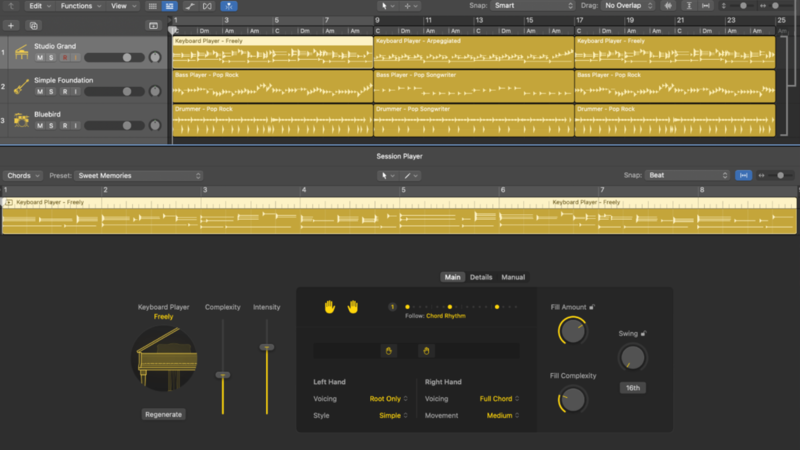
Logic’s standout AI implementation is the Session Players—AI-powered musicians for drums, bass, keys, and synths. They adapt to your arrangement, follow harmonic context, and can generate expressive performances that slot naturally into a track. This is pretty groundbreaking tech for users who want to benefit from AI’s efficiency without completely overriding human ingenuity.
Logic also includes AI-driven stem separation and intelligent musical analysis (like chord identification and contextual music understanding). It also has the new and nimble ChromaGlow, a machine-learning saturation tool that adds warmth and harmonic texture with minimal tweaking needed.
FL Studio
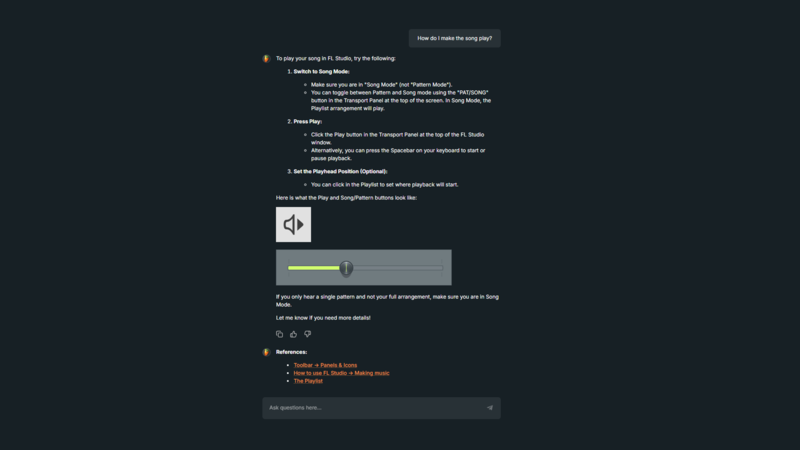
FL Studio opted for a different approach, focusing on establishing AI as a fully fledged music production assistant inside of the flagship DAW. Introducing: Gopher. This little fella will give you top-tier music production feedback and suggestions as an LLM specialising in music, all from within the application.
FL Studio also happened to be the first among the major DAWs to include AI stem separation, which is intuitively integrated. It also has Loop Starter, which is the closest thing it has to an AI music production tool rivalling any of Logic’s. Loop Starter can instantly assemble genre-appropriate building blocks for fast inspiration.
Rather than generating full performances or musical interpretations, FL’s AI excels at help, guidance, and accelerating the early stage of production. It’s workflow-first, idea-starter second.
Ableton Live
Ableton Live approaches AI more cautiously, with fewer native generative tools but strong integration of modern production features like built-in stem separation (which is pretty standard nowadays).
While Live doesn’t have a built-in assistant like FL Studio or the deep generative players found in Logic, it does support a thriving ecosystem of third-party AI-powered tools through Max for Live. These include voice-controlled assistants, generative MIDI devices, and experimental creative tools that can influence arrangement and sound selection.
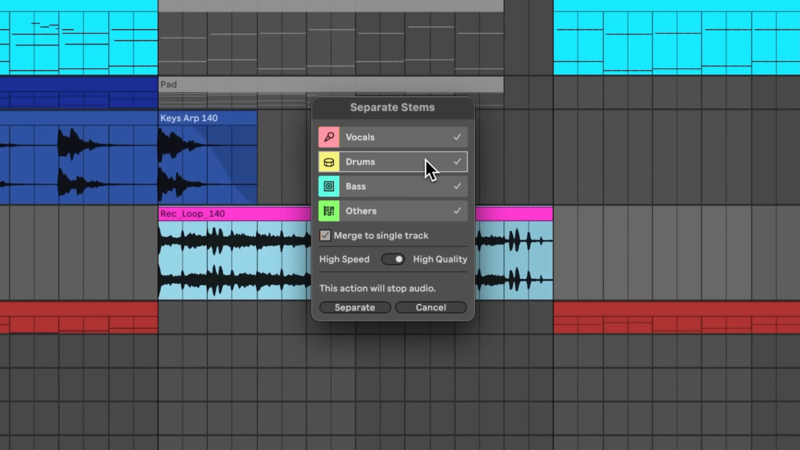
In short, Ableton doesn’t lead in native AI features, but it offers huge flexibility for producers who prefer more advanced and modular AI tools rather than tightly integrated systems.
FL Studio Now Has Browser-Based Support!
FL Studio received a major, life-altering update at the end of 2025–it’s now accessible from your web browser, in the form of FL Studio Web. Technically, it’s still in the beta testing phase, however, it’s operational to all users who have an official account (after owning a version of FL Studio). You can also join the waiting list.
It is recommended you use Google Chrome as the browser of operation, as plentiful bugs have been reported on others, making it unstable. However, in the future, it’s likely FL Studio Web will become a fully fledged and more accessible version of the revered DAW, with many updates and finalisations underway.
What next?
Whatever DAW you choose, don’t forget to try out Loopcloud to access the biggest selection of sounds for making music out there – and you can also investigate our Ableton Live and Logic DAW Templates and and Packs at Loopmasters.